Open Today
See your chosen priorities and one useful next action.
Zenith gathers the everyday pieces of fitness without turning your day into a control panel. See what matters, take the next action, and move on.
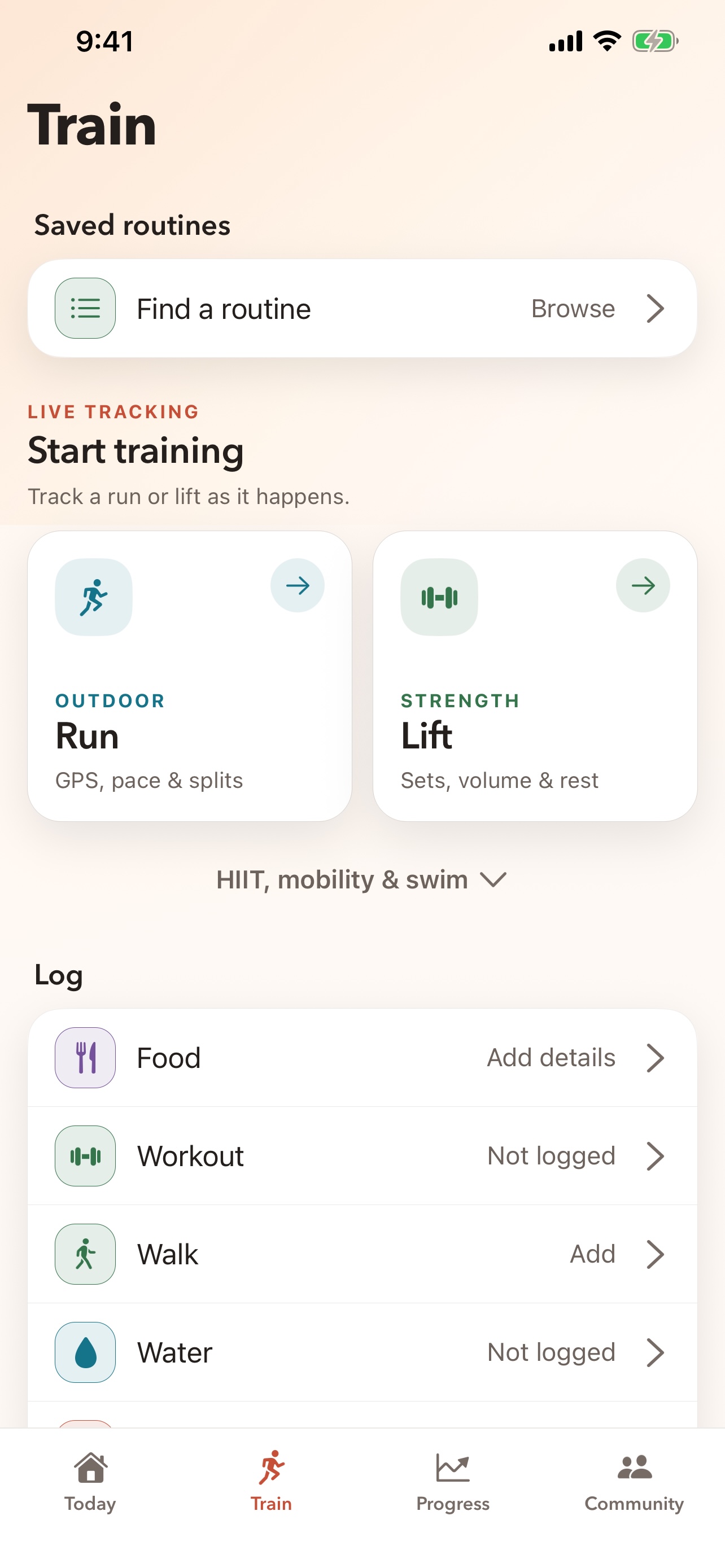
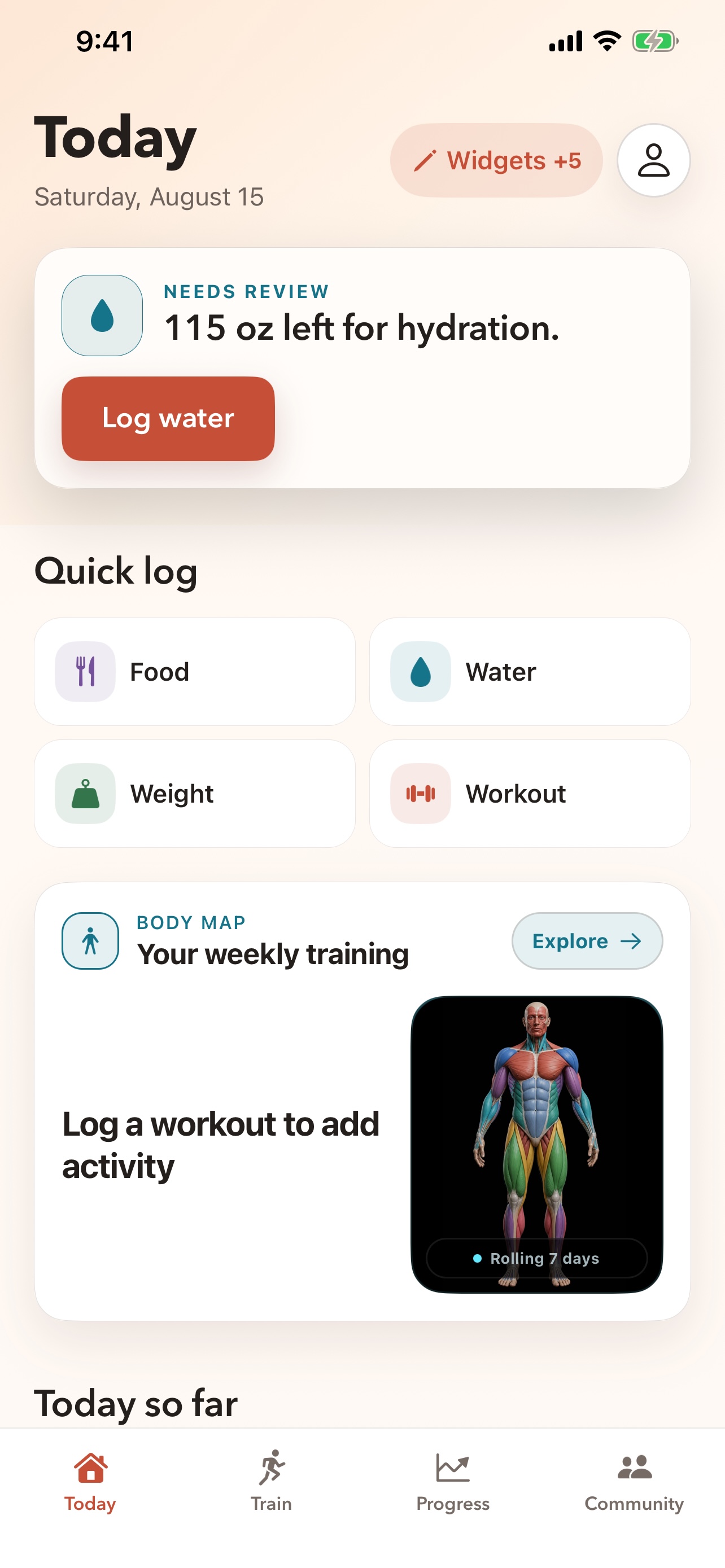
Zenith is organized around the moments that repeat, not around menus you have to learn.
See your chosen priorities and one useful next action.
Add food, water, weight, a walk, or a workout without digging.
Read a clear summary built from the information that actually exists.
Use trends, Body Map, ranks, streaks, and friends when they help.
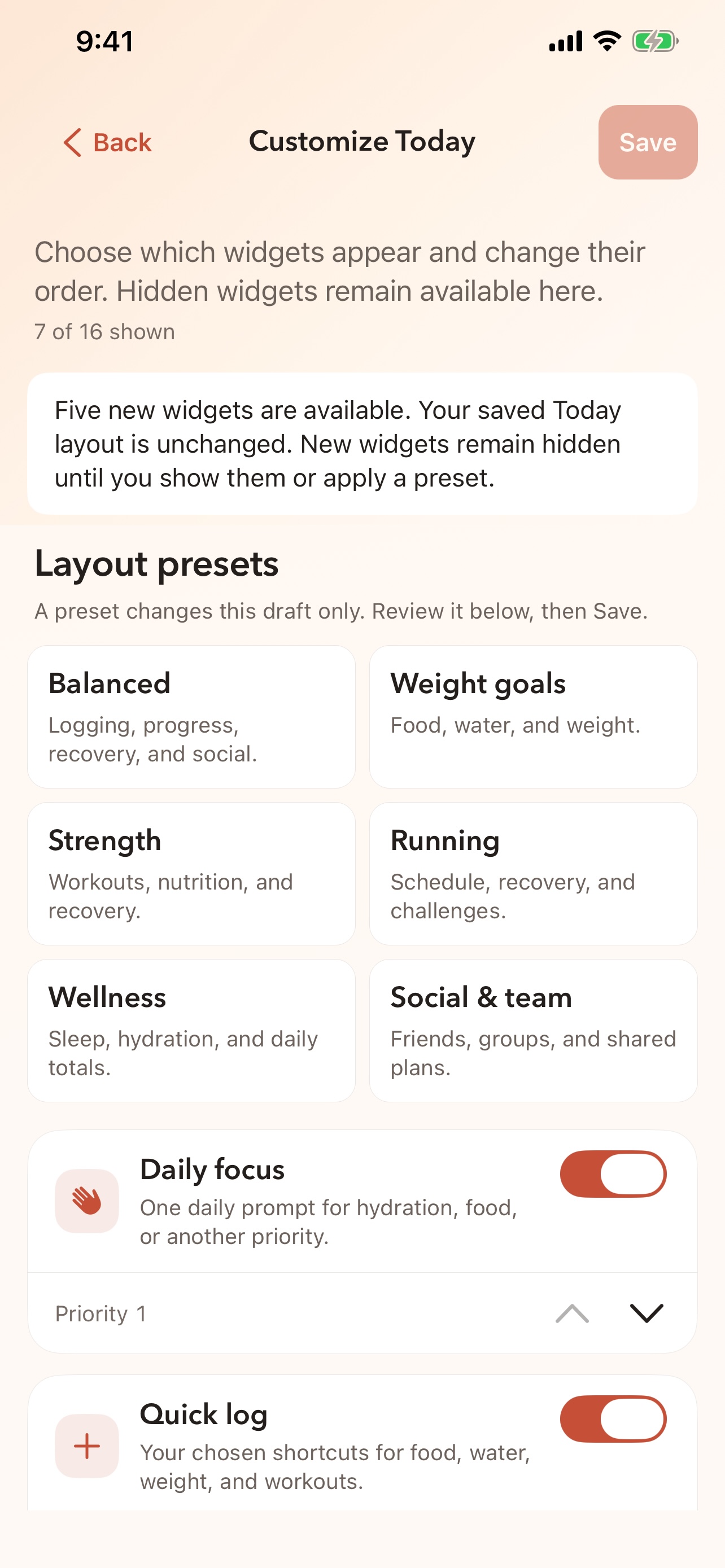
A runner, a lifter, someone focused on weight, and someone rebuilding sleep do not need the same home screen. Choose a starting layout, then show, hide, and reorder the widgets yourself.
Existing users keep their familiar arrangement until they choose to change it.
Track an outdoor run, follow a guided lift, browse routines, or log a completed workout.
Training features →Search food, adjust servings, add water, and record weight with clear review before saving.
Food and logging →Bring supported sleep, steps, workouts, heart rate, HRV, weight, and energy history from Apple Health when you allow it.
Health and recovery →Use friends, groups, posts, messages, challenges, and events as much—or as little—as you want.
Community features →Zenith works without Apple Health or social sharing. Connect what helps, leave the rest off, and use in-app export and deletion controls when you need them.